
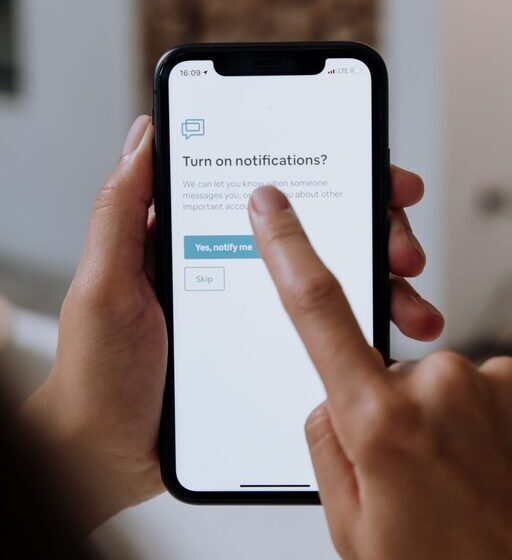

In our digital age, notifications are constant companions—pings, buzzes, and pop-ups that demand our attention. While they can be helpful, they often disrupt focus, increase stress, and blur the lines between work and personal time. Setting boundaries with notifications is an essential step toward reclaiming control over your day and improving overall well-being.
This post offers practical tips to help you manage notifications effectively, so you can stay focused, reduce distractions, and enjoy more balanced time.
Why Setting Boundaries with Notifications Matters
Notifications are designed to capture your attention instantly. However, frequent interruptions can reduce productivity and increase mental fatigue. Studies show that it can take several minutes to regain focus after each distraction, making it vital to limit when and how notifications reach you.
By setting boundaries, you create space for deep work, meaningful interactions, and better rest, supporting both professional success and personal fulfillment.
Tips for Setting Boundaries with Notifications
1. Audit Your Notifications
Start by reviewing all the apps and services that send you alerts. Ask yourself:
– Which notifications are essential?
– Which can wait until I check them manually?
– Are there any alerts I never look at?
Turn off or minimize notifications from non-essential apps. This initial step reduces noise and makes important notifications stand out.
2. Customize Notification Settings
Most devices and apps allow you to customize how and when you receive notifications. Consider:
– Silent notifications: Disable sounds or vibrations for less critical alerts.
– Notification previews: Hide sensitive content on your lock screen to reduce anxiety.
– Priority settings: Set some notifications as “priority” to always alert you, while others remain in the background.
Taking time to personalize these settings helps tailor notifications to your lifestyle.
3. Use “Do Not Disturb” Modes Strategically
Leverage your device’s built-in “Do Not Disturb” (DND) or Focus modes. You can:
– Schedule DND during work hours, meetings, or sleep.
– Allow calls or messages only from specific contacts.
– Silence notifications when using certain apps or locations.
By using DND thoughtfully, you reduce distractions without completely disconnecting.
4. Set Specific Times to Check Notifications
Instead of reacting instantly, designate certain times during the day to review notifications. For example:
– Check emails three times daily instead of constantly.
– Review social media notifications during breaks.
– Respond to messages during set windows.
This habit trains your brain to expect interruptions less frequently and encourages mindful engagement.
5. Create Separate Profiles or Devices for Different Needs
If possible, separate work and personal notifications:
– Use different devices for work and personal life, or
– Set different user profiles on your device with tailored notification settings.
This separation helps keep work at work and personal time free from professional alerts.
6. Disable Non-Essential Notifications Overnight
Nighttime is crucial for rest and recovery. Disable or silence notifications overnight to avoid unnecessary disturbances. Many smartphones allow you to automate this, so you don’t have to remember every day.
7. Communicate Your Boundaries to Others
Let your colleagues, friends, and family know your notification preferences. For example:
– Inform coworkers you won’t respond immediately to non-urgent messages.
– Use status or away messages to indicate your availability.
Clear communication helps manage expectations and reduce pressure to respond instantly.
8. Regularly Reassess Your Notification Strategy
Technology and priorities change. Set a reminder every few months to revisit your notification settings. Ask yourself:
– What’s working well?
– What still feels overwhelming?
– Are there new apps or services requiring attention?
Continuous adjustment ensures your boundaries remain effective.
Additional Tools to Help Manage Notifications
Consider these helpful tools:
– Notification management apps: Some apps can batch notifications or provide smart summaries.
– Focus or productivity apps: Tools like timers or work mode apps can limit distractions during work sessions.
– Wearables: Devices that show only priority alerts can help you stay connected without overloading your phone.
Experiment with tools to find what complements your style best.
Benefits of Setting Boundaries with Notifications
When you set clear boundaries, you may notice:
– Improved concentration and deeper focus
– Reduced stress and anxiety
– Better work-life balance
– More control over your time and attention
– Increased presence in social and family interactions
These benefits contribute to more fulfilled and productive days.
Conclusion
Notifications are a powerful convenience but can easily become overwhelming distractions. Setting boundaries requires intention but pays off with improved focus, less stress, and a healthier relationship with technology.
Start small by auditing your notifications and customizing settings today. With consistent effort, you’ll create a digital environment that supports your goals and well-being.
Remember, it’s ultimately about balance—staying informed without being controlled by constant alerts. You can regain control, one notification at a time.